
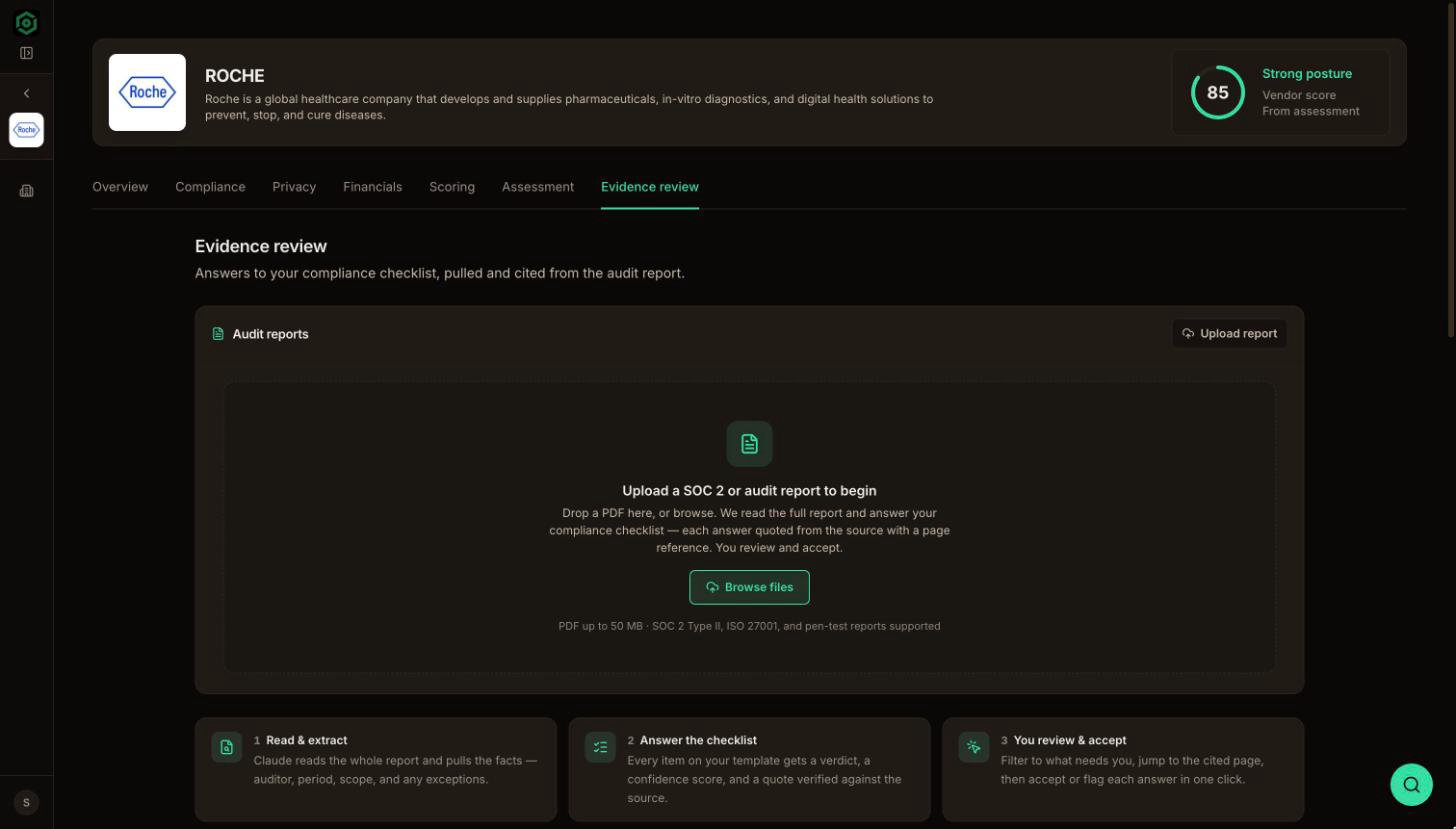
Evidence review is part of the Enterprise plan. See Plans & billing.
How it works
1
Read & extract
Claude reads the whole report and pulls out the key facts: the auditor, the audit period, the scope, and any exceptions the auditor noted.
2
Answer the checklist
Every item on your template gets a verdict, a confidence level, and a quote. VendexLabs looks for each quote in the PDF itself and marks it as verified only when it finds a match on the cited page.
3
You review & accept
Filter to the answers that need you, jump to the cited page, and accept or flag each one in a single click.
Run a review
1
Upload the report
Open the vendor’s assessment and upload the SOC 2 report (or another security report) under Evidence & Documentation. Text PDFs work best. Scanned images can’t be read.
2
Open the Evidence review tab
On the vendor page, open the Evidence review tab and pick the document.
3
Choose a template and analyze
Pick the template to check the report against. Your organization’s active template is selected by default. Then choose Analyze report. The analysis runs in the background, usually in a few minutes, so you can leave the page.
4
Work through the answers
The answer list opens on Needs you: answers with a low confidence, a gap, or an exception. Select an answer to open the report at the cited page with the quote highlighted. Accept the answers that are right and flag the ones to follow up on.
Verdicts
Use the verdict chips above the list to filter by verdict, or switch between Needs you and All.
Report checks (red flags)
Alongside the answers, the review runs a set of report-level checks:
These checks are worked out by fixed rules from the extracted facts, not by the model, so the same report always produces the same flags.
Where the results go
Accepted answers become part of the assessment’s evidence. They are the strongest source the AI comment drafts can cite: a verified quote with a page number. Flagged answers show up under Needs you until someone resolves them.Templates
Build the question set a report is checked against.
Draft comments with AI
Turn reviewed evidence into cited assessment comments.