
AI drafting is part of the Enterprise plan and includes a monthly allowance of drafts per organization.
Which comments it drafts
Only the compliance comment suggests an outcome. The approval decision is always yours.
Draft a comment
1
Open the panel
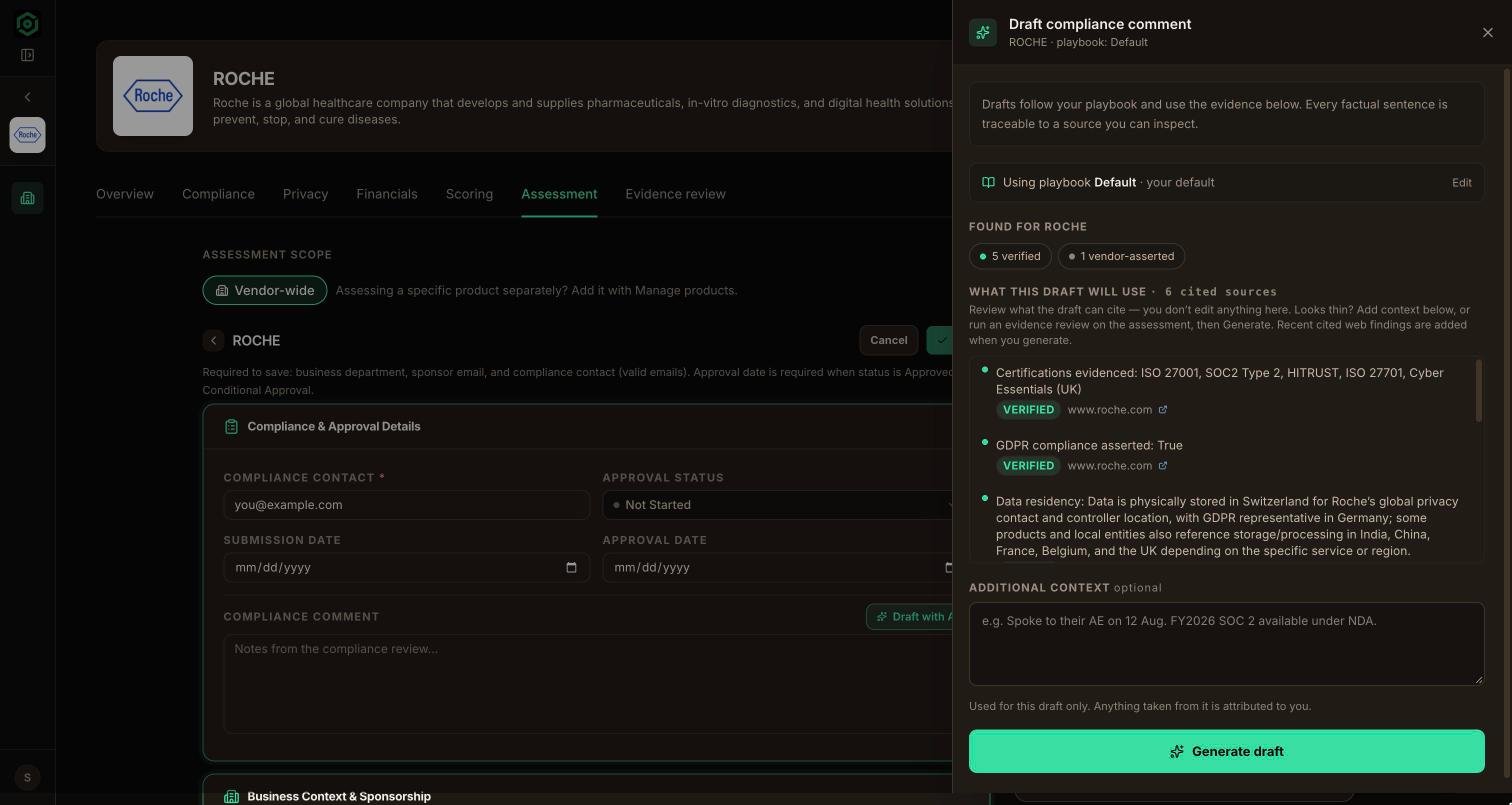
On the vendor’s Assessment tab, choose Draft with AI next to the comment you want to write.
2
Check the evidence first
Before anything is generated, the panel shows what it found for this vendor: accepted evidence review answers, cited research, your business context, and gaps. Expand any item to see exactly what the draft can draw on.
3
Pick a playbook (optional)
The playbook that matches this vendor’s tier and tags is used automatically. You can pick a different one, or tweak the instructions for this draft only.
4
Generate
Choose Generate. The panel gathers the evidence and, if the playbook allows it, checks the web for recent breach, certification, or enforcement news.
5
Refine
Ask for changes in plain language, or use the quick refine chips, such as Shorter, More formal, Name the gaps, or State the conditions. Each turn keeps the same evidence, so citations stay consistent.
6
Use it
Choose Use this to place the draft in the comment field. Edit it like any other text, then save the assessment.
Every fact has a source
Each statement in a draft carries a chip showing where it came from:
The model can only cite evidence it was given. VendexLabs drops any citation that doesn’t match a real source, and statements with no source are marked unattested instead of being presented as fact.
Provenance
Once a draft is in the comment field, a small strip shows it as AI-assisted. If you then edit the text, the strip changes to Edited · citations no longer traced, so reviewers can tell what was drafted and what was rewritten. The assessment’s audit log records the save as usual.Drafts use your organization’s past comments as a style reference, so new comments read like the ones your team already writes.
Playbooks
Tell the drafts how your team writes.
Draft from Claude
Draft and save assessments from a Claude conversation.