> ## Documentation Index
> Fetch the complete documentation index at: https://docs.vendexlabs.com/llms.txt
> Use this file to discover all available pages before exploring further.
# The vendor profile
> A tour of the vendor detail view — overview, security, privacy, financials, GRC posture, and assessment.
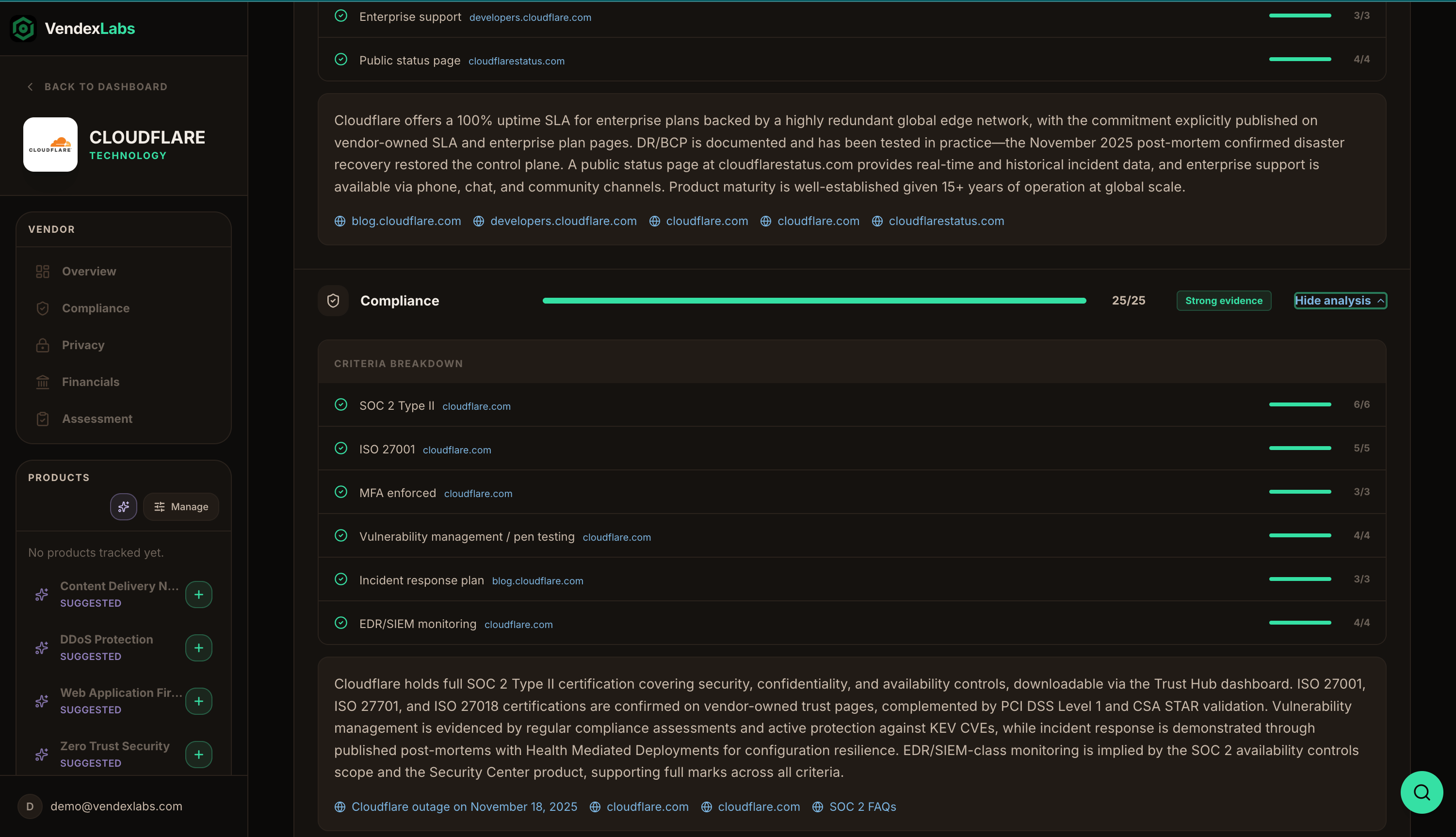
Every vendor has a detail view — its **profile** — that brings the research, scoring, and your assessment together in one place. This page maps out what's on each tab so you know where to look.
 ## The posture ring
At the top of every vendor profile is the **posture ring** — the vendor's aggregate score and risk tier at a glance (for example, `94 · Low`). It's the one-second read on where the vendor stands.
## Tabs
The vendor at a glance: company description, industry, and the headline posture. The starting point for any review.
Compliance certifications, security controls, and the evidence behind the Compliance domain score.
What data the vendor collects and how it's handled, plus published sub-processor information where available.
Business and financial maturity signals — funding, longevity, and stability — behind the Business & financial domain.
The full scoring breakdown: aggregate score, risk tier, integration depth, recommendation, and per-domain trust scores with evidence badges and cited analysis. See [Risk scoring](/concepts/risk-scoring).
Your review record — business context, data handling, compliance decision, evidence, and the approval log. See [Assessments](/concepts/assessments).
## Vendor Risk sections
Alongside the tabs, the profile's **Vendor Risk** navigation gives you focused views:
* **General Compliance** — the compliance picture and certifications.
* **Privacy Controls** — data handling, data-subject support, and sub-processors.
* **Business Maturity** — company type, funding, and reach.
* **GRC Posture** — the scoring detail.
* **Vendor Assessment Tracking** — your assessment and its history.
The **How scoring works** link on the GRC Posture tab opens the methodology in context — handy when you want to explain a number to a stakeholder.
## The posture ring
At the top of every vendor profile is the **posture ring** — the vendor's aggregate score and risk tier at a glance (for example, `94 · Low`). It's the one-second read on where the vendor stands.
## Tabs
The vendor at a glance: company description, industry, and the headline posture. The starting point for any review.
Compliance certifications, security controls, and the evidence behind the Compliance domain score.
What data the vendor collects and how it's handled, plus published sub-processor information where available.
Business and financial maturity signals — funding, longevity, and stability — behind the Business & financial domain.
The full scoring breakdown: aggregate score, risk tier, integration depth, recommendation, and per-domain trust scores with evidence badges and cited analysis. See [Risk scoring](/concepts/risk-scoring).
Your review record — business context, data handling, compliance decision, evidence, and the approval log. See [Assessments](/concepts/assessments).
## Vendor Risk sections
Alongside the tabs, the profile's **Vendor Risk** navigation gives you focused views:
* **General Compliance** — the compliance picture and certifications.
* **Privacy Controls** — data handling, data-subject support, and sub-processors.
* **Business Maturity** — company type, funding, and reach.
* **GRC Posture** — the scoring detail.
* **Vendor Assessment Tracking** — your assessment and its history.
The **How scoring works** link on the GRC Posture tab opens the methodology in context — handy when you want to explain a number to a stakeholder.